Links, gates and what stops a leak
One room, many links, each with its own gates. The difference between a public link and a per-recipient link is the difference between knowing a room was opened and knowing who opened it.
-
Open the sharing links page
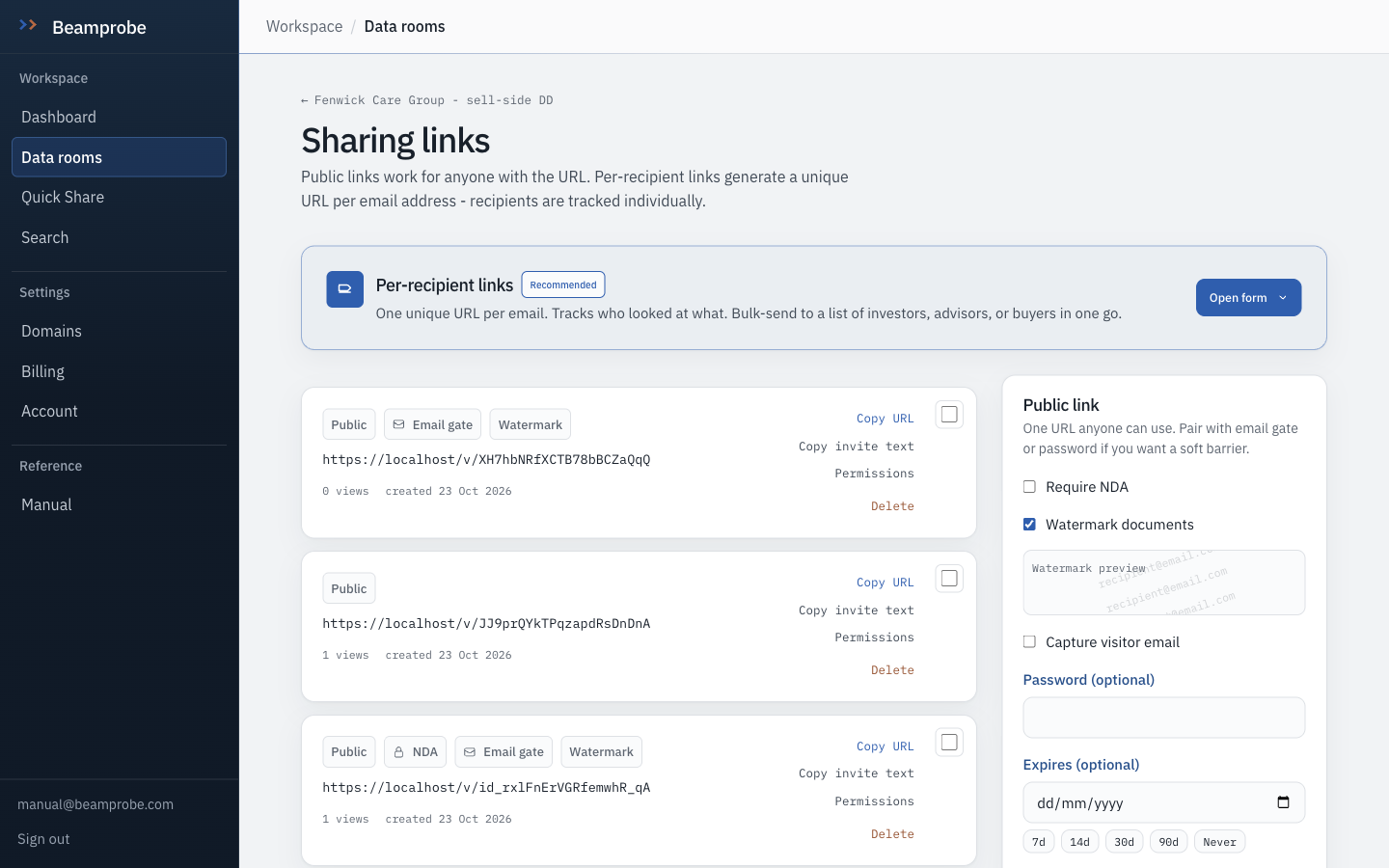
A room can hold as many links as you like. The right-hand panel creates one; the list below shows what exists, how many views each has taken, and when it was made.
Watch Views per link, not per room, is the number that tells you which bidder is actually working.
-
Public link or per-recipient link
A public link works for anyone holding the URL and is fine for a broad distribution. A per-recipient link generates one URL per address, so every view resolves to a person rather than to whoever forwarded the link. Use per-recipient once a bidder starts sharing.
Do this Per-recipient for bidders. Public, with gates, for an adviser distribution list.
-
Set the gates before sending
Require NDA, capture visitor email, password, expiry, maximum views, download off, watermark on. Each gate is recorded independently, so a password link can still capture an email and an NDA link can still expire on a date.
Watch Expiry is a date, not a reminder you will remember to set.
-
What a visitor meets first
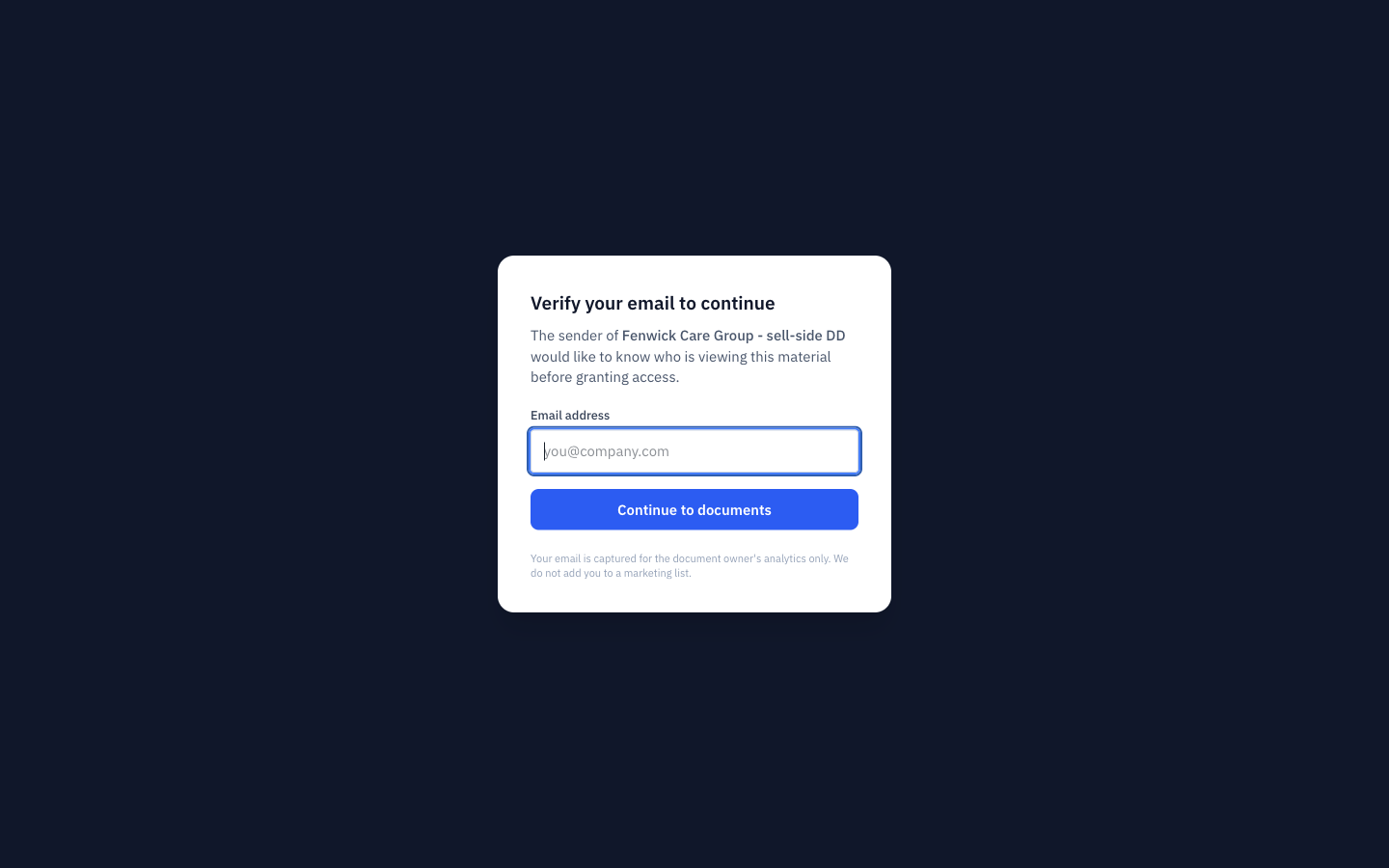
With capture on, the first screen asks for an address and nothing else. The line under the field matters: the address is for the owner's analytics and does not become a marketing list, because a visitor who suspects otherwise types a fake one.
-
The acceptance that is actually evidence
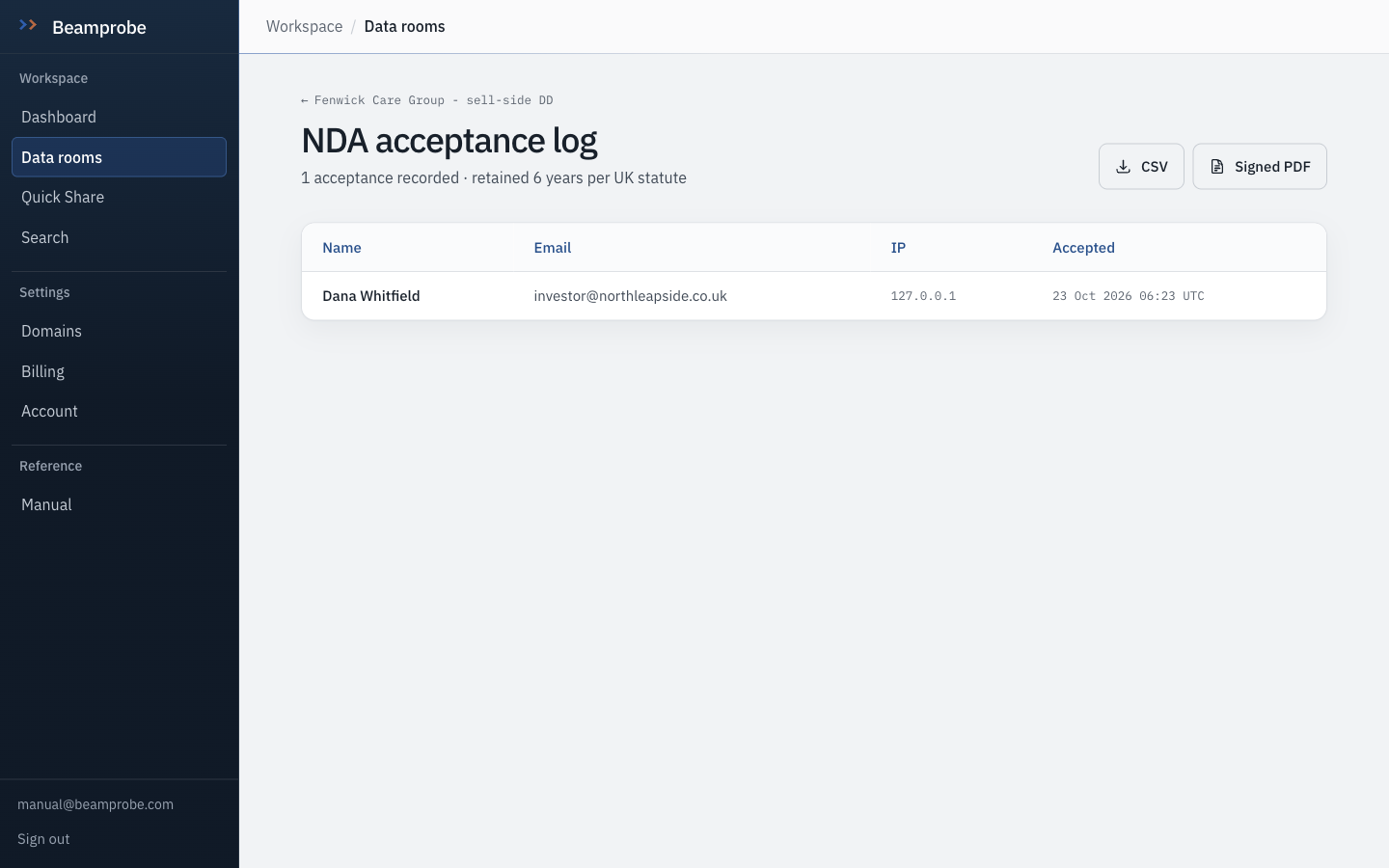
The NDA page shows the room's own text, asks for a full legal name and an email, and warns that the click is a legal act. On submit, the name, email, IP address, the exact time and a snapshot of the NDA text as it read that day are all written down.
Watch The snapshot is the part that matters. If you edit the NDA clause next month, yesterday's acceptance still records what was accepted.
-
Inside, with the download button gone
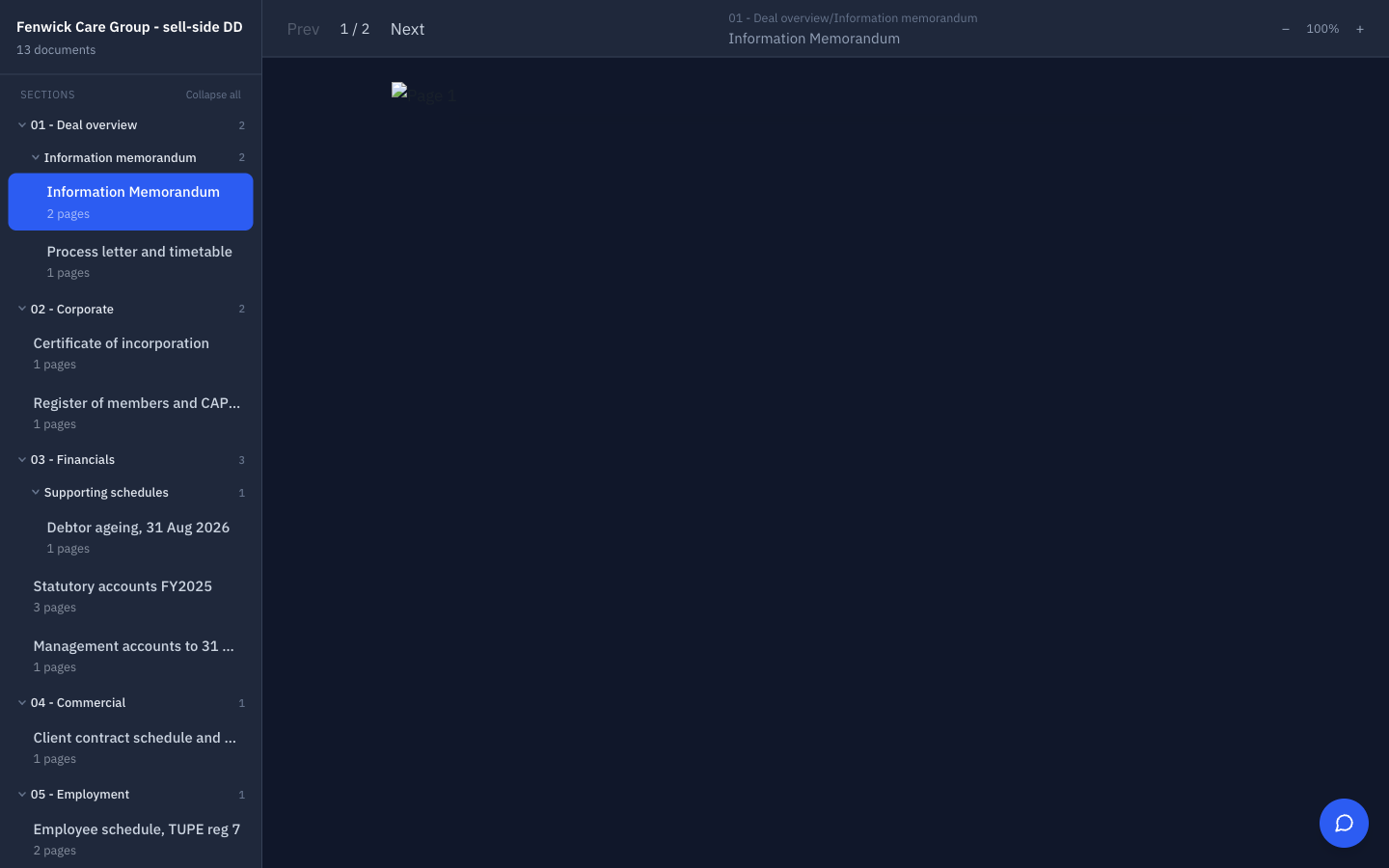
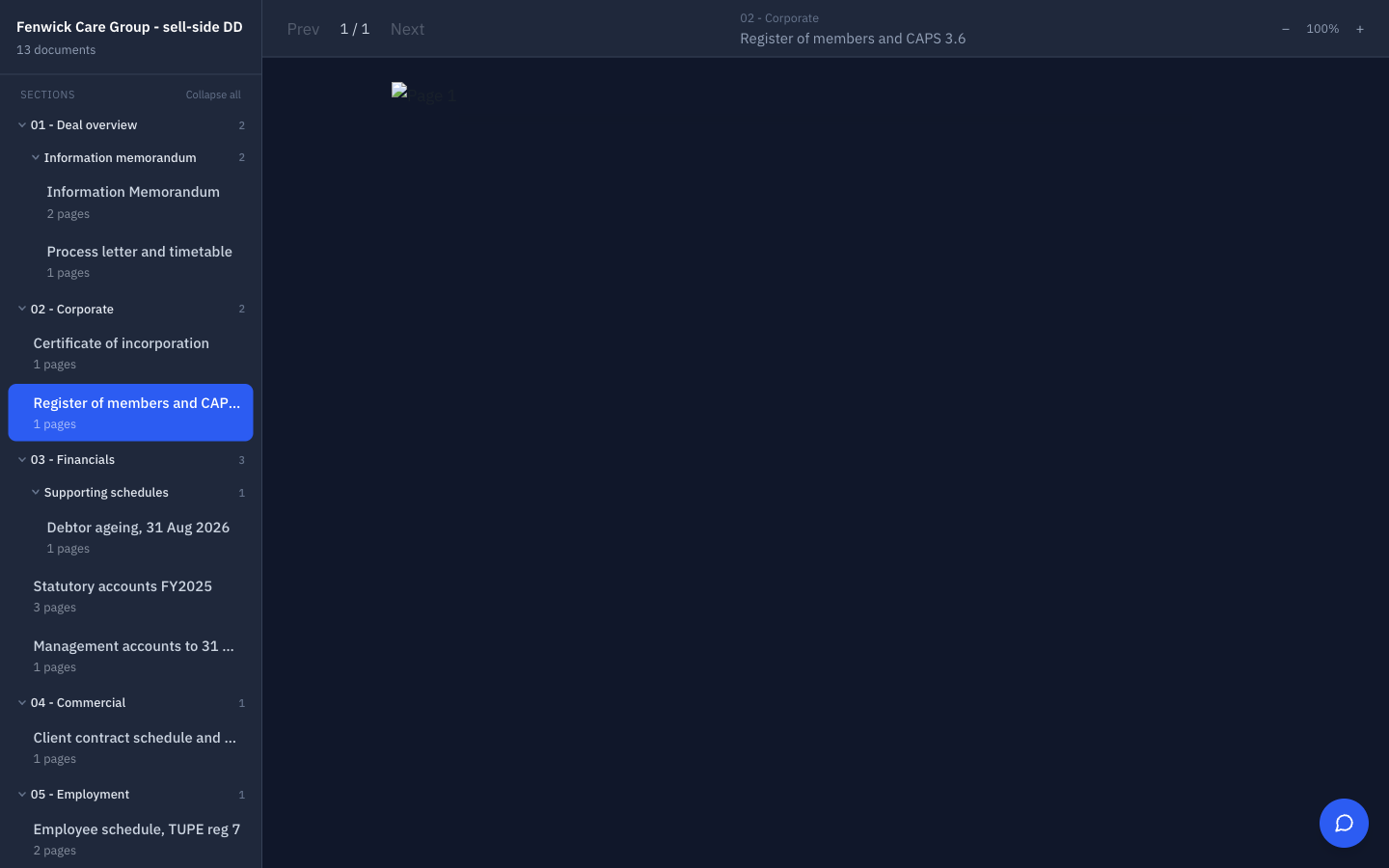
After acceptance the room opens in the viewer: contents on the left, page by page in the middle. With downloads off there is no original file anywhere in the page source, only rendered page images, which is also what makes a watermark land on every page.
Watch A screenshot can still be taken. Controls reduce leakage and create a record; they do not make copying impossible, and a manual that claims otherwise is selling you something.
-
Check the log, not your memory
Every acceptance, with name, email, IP and time, exportable as CSV and printable as a PDF for the deal file. Retained six years, which is how long a claim can arrive after completion.
Do this Export the log at the same moment you publish the room, so the file exists even if the room is later deleted.
- □ No link with real documents in it is ungated
- □ Every bidder with a per-recipient link is named in the log
- □ Expiry dates are set for every link that should stop working
- □ Download is off unless a specific recipient needs it on
- A link can be limited to specific documents, which is how you open financials to a sponsor and hold back the customer list until confirmatory stage.
- Deactivating a link stops it instantly. Documents already opened in a session are not clawed back, so do it before you go home, not at the desk the next morning.
- Copy invite text produces the email you would send, with the link already in it.