Folder structure that survives diligence
A room with 60 files loose in it says the vendor has never sold a company. Folders, sub-folders and counts are what a buyer's lawyer uses to decide whether to keep reading, and this is where Beamprobe is built differently from a link with a landing page.
-
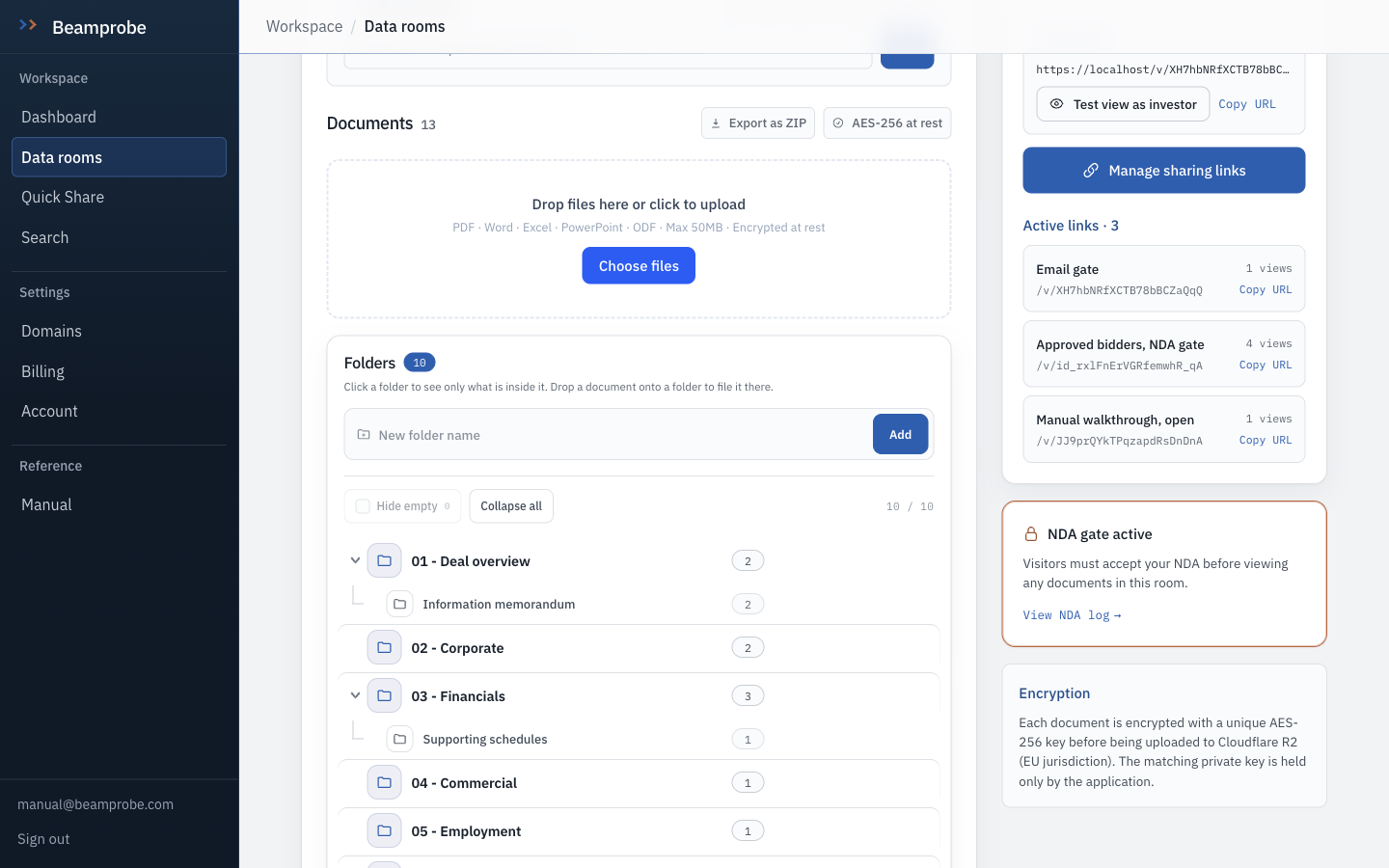
The tree lives on the left, documents on the right
Ten folders, one nested inside another, each with a count. A parent's count rolls up from its children, so 03 - Financials reading 3 means three files anywhere below it, not three files sitting directly in it.
Watch Rolled-up counts are the reason a gap is visible. A folder that reads 0 against a checklist item is a question you will get.
-
Click a folder to filter, click again to clear
Selecting a folder filters the document list to that branch. This is also how you file by drag: pick the folder, drop the files, and they arrive already placed rather than at the root for you to tidy later.
-
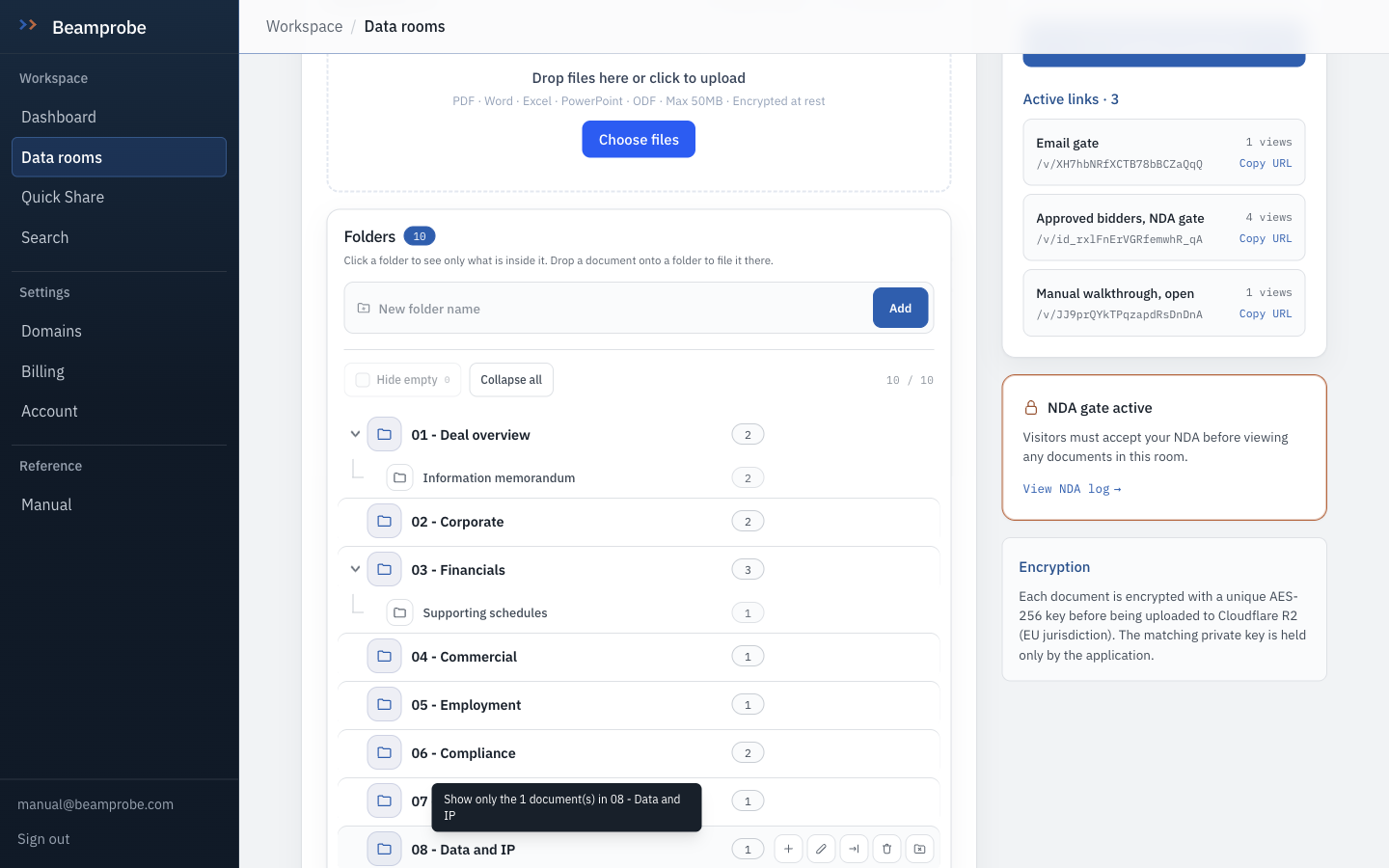
Hover a row to get its actions
Hovering a row reveals rename, add a sub-folder, move, and delete. They stay hidden until asked for because a tree with permanent icon buttons on every row reads like a file manager from 2009.
-
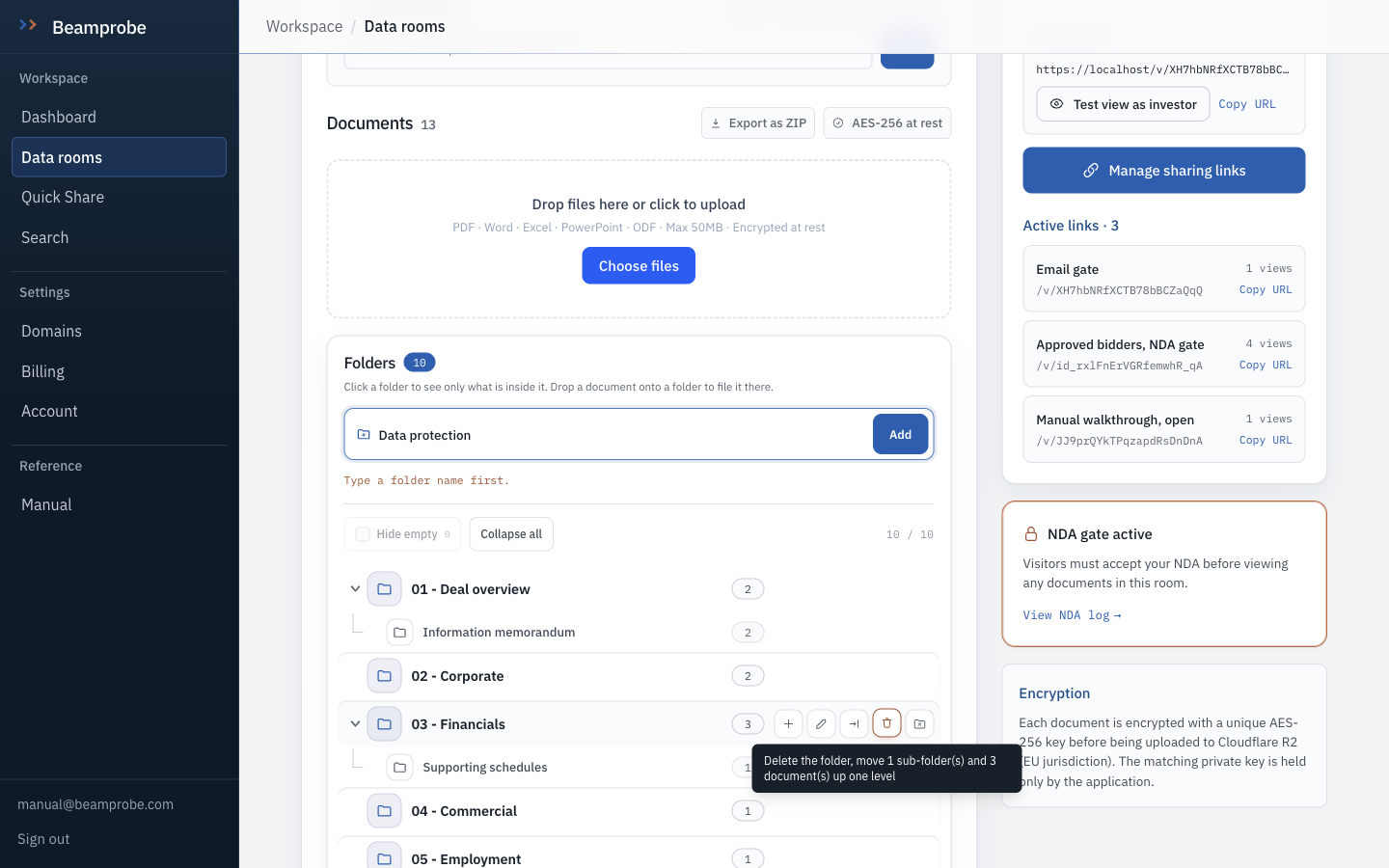
Add a folder from the composer
Type a name, press Add. Names are trimmed and slashes become structure, so typing 04 - Commercial/Proposals in one go creates the parent and the child. Duplicate names in the same parent are refused with a message that names the folder, rather than silently creating a second one.
Watch Nesting is capped at ten levels. If you need eleven, the structure is wrong, not the cap.
-
Hide empty and Collapse all, for a room that has grown
Hide empty drops branches with nothing in them, which is how you see the shape of what is actually populated during a live process. Collapse all returns you to top level when someone has re-expanded everything while you were not looking.
Watch Free and Lite allow five folders per room. Pro and trial are uncapped, which is the honest reason the free tier tops out at one process.
-
Drop a document onto a folder to file it there
Drag from the document list onto any row. Moving a parent takes its subtree with it, so a branch you reorganise does not leave orphaned files behind. The document keeps its name, its page count and its view history; only its address changes.
- □ Every folder in the tree has a reason a buyer would look for it
- □ No populated folder sits deeper than level three
- □ Empty folders are either filled or deleted before the room is sent
- □ The index you sent matches the index you have
- Templates: creating a room offers Seed round, Series A, M&A sell-side and Tax and compliance. One click writes the whole suggested index as real folders.
- Room settings carry a suggested-folder strip. Clicking one adds that folder without leaving the page.
- Folders are per room. Nothing is shared between rooms, which is what makes it safe to reuse a structure on five deals.