Redaction that removes, not covers
Some documents have to go into the room with something taken out: a shareholder's name, an employee's National Insurance number, a client's bank details. Find them by name or by kind, box anything else by hand, and burn the boxes into the page, so what was under them is gone rather than hidden.
-
Open Redact from the document
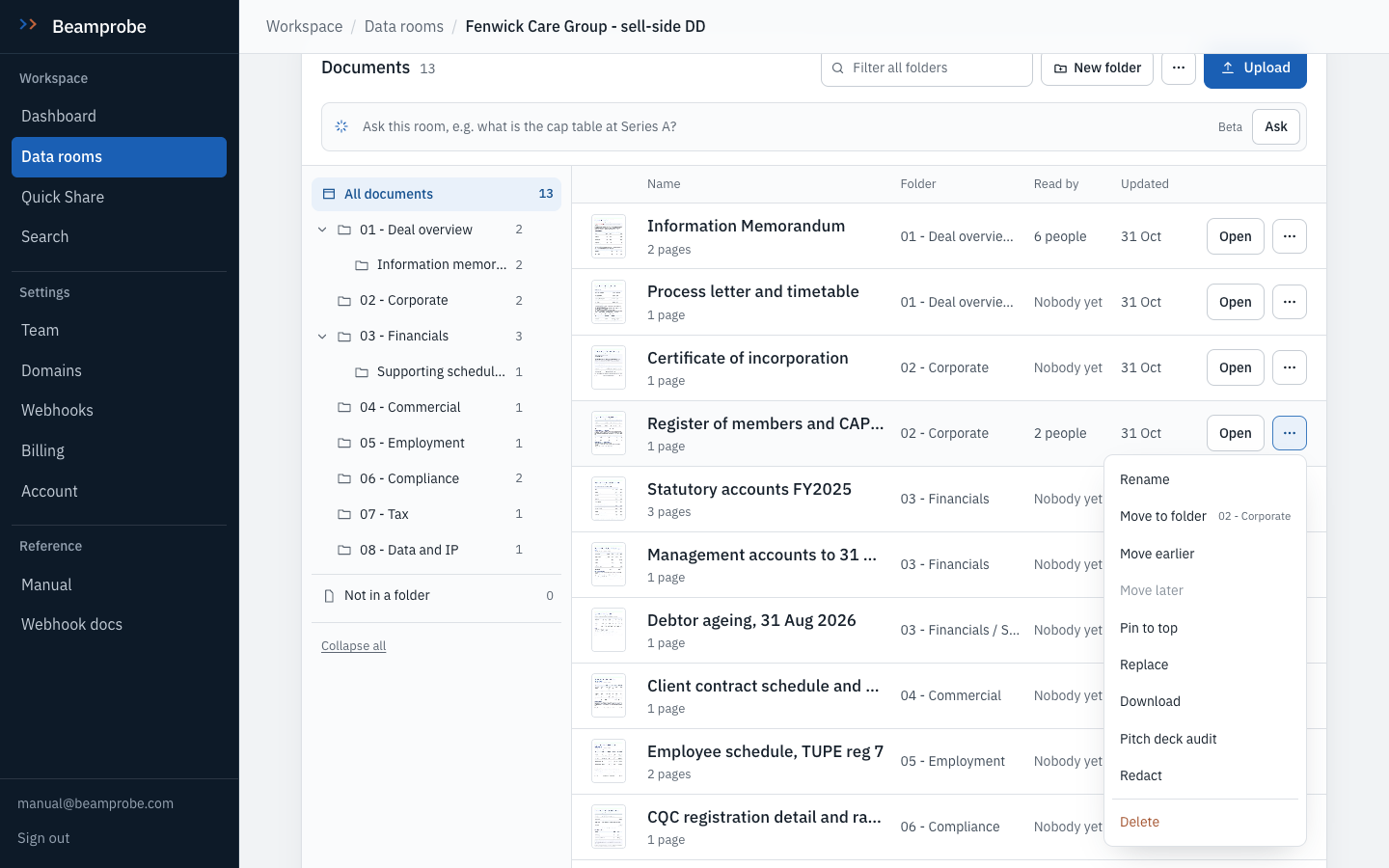
Open the ... menu at the end of a document's row in the room; Redact is in it, on a laptop and on a phone. Redaction works on any document that has finished processing, on every plan.
Watch A document that belongs to a signature request cannot be redacted. Changing it would change what was signed.
-
Say what to find
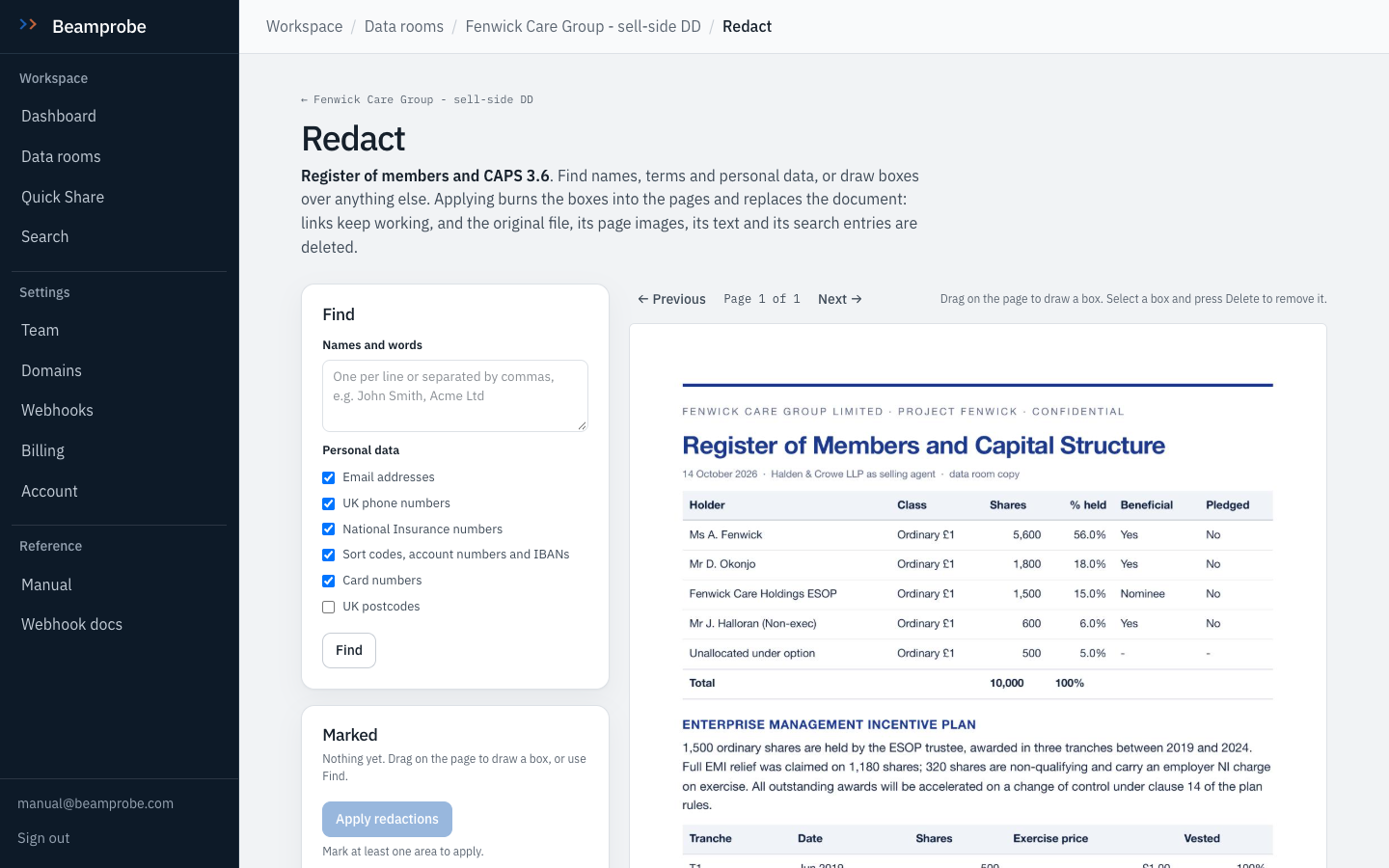
Type names and words one per line or separated by commas. The search ignores case, takes what you type literally and boxes whole words, so a term found inside "Smith," takes the comma with it. Under Personal data, tick the kinds to look for: email addresses, UK phone numbers, National Insurance numbers, sort codes, account numbers and IBANs, and card numbers start ticked, UK postcodes does not.
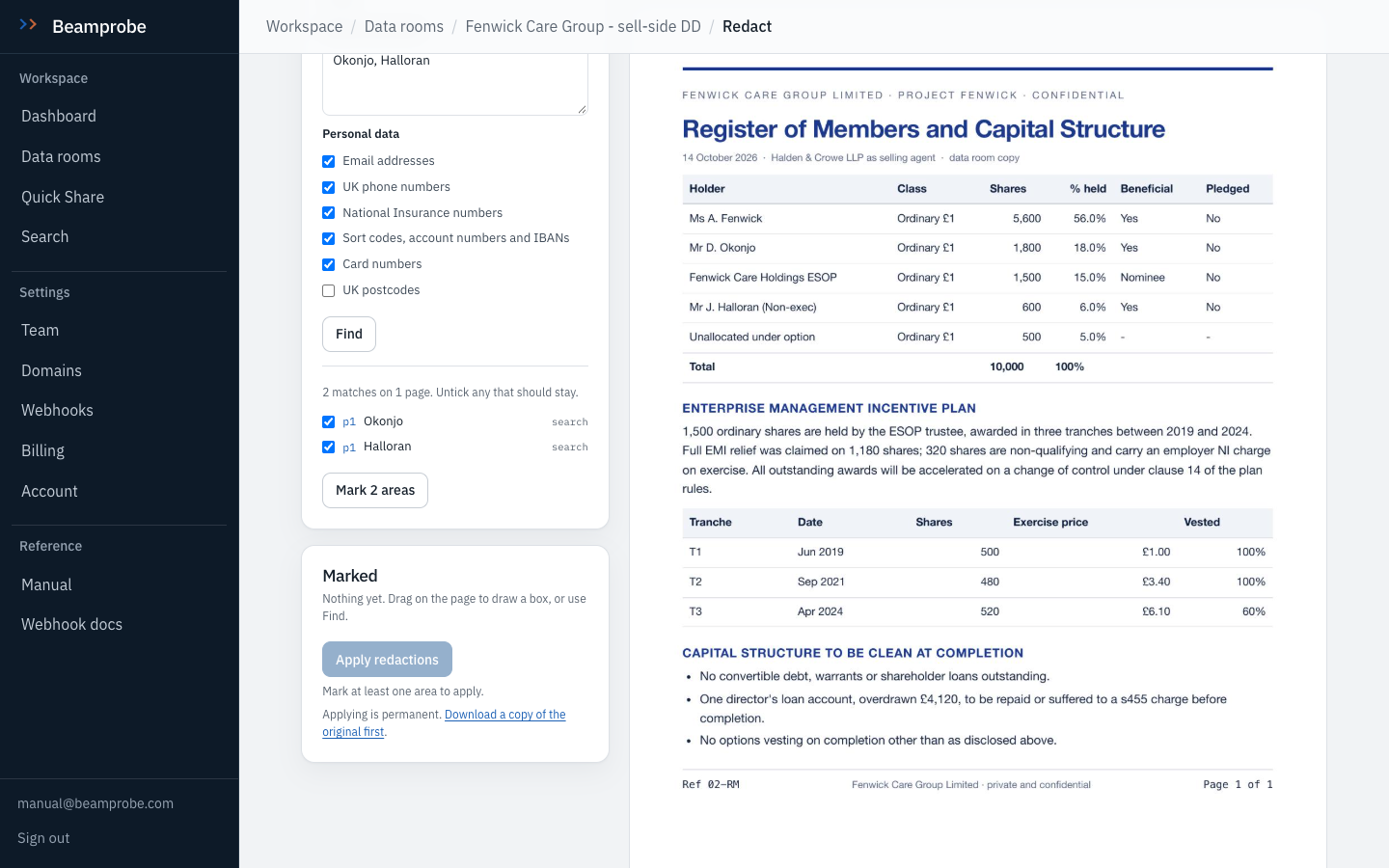
Do this Search for surnames rather than full names. A document may say Mr D. Okonjo in one place and David Okonjo in another, and the surname finds both.
-
Check the matches
Find lists every match with its page, and the page number jumps there. Untick any that should stay, then Mark turns the rest into boxes. Matches are suggestions: nothing is boxed until you mark it.
Watch Scanned pages are read by OCR, and the results name them so you can check them by eye. A page that could not be read at all is named too, and needs its boxes drawn by hand.
-
Draw what search cannot find
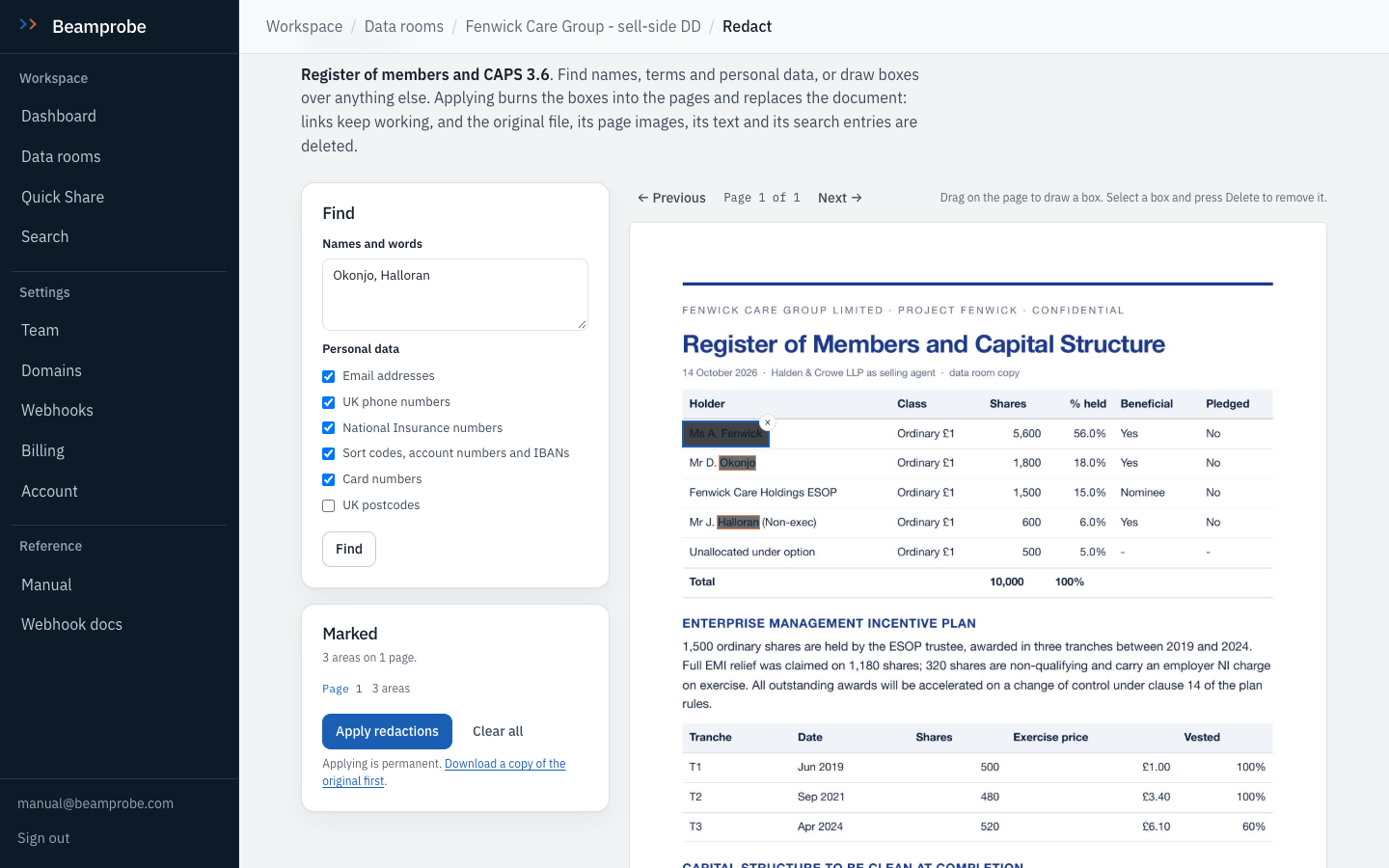
Drag on the page to box anything else: a signature, a photograph, a figure, or a name that search would over-find. Here the majority holder is Ms A. Fenwick, and Fenwick is also the company's name, so a search for it would box every header; her line is boxed by hand instead. Click a box and press Delete, or use its ×, to take it off.
Do this Page through the whole document with Next before applying. Marked lists the pages that have boxes, not the pages you have checked.
-
Apply, knowing what goes
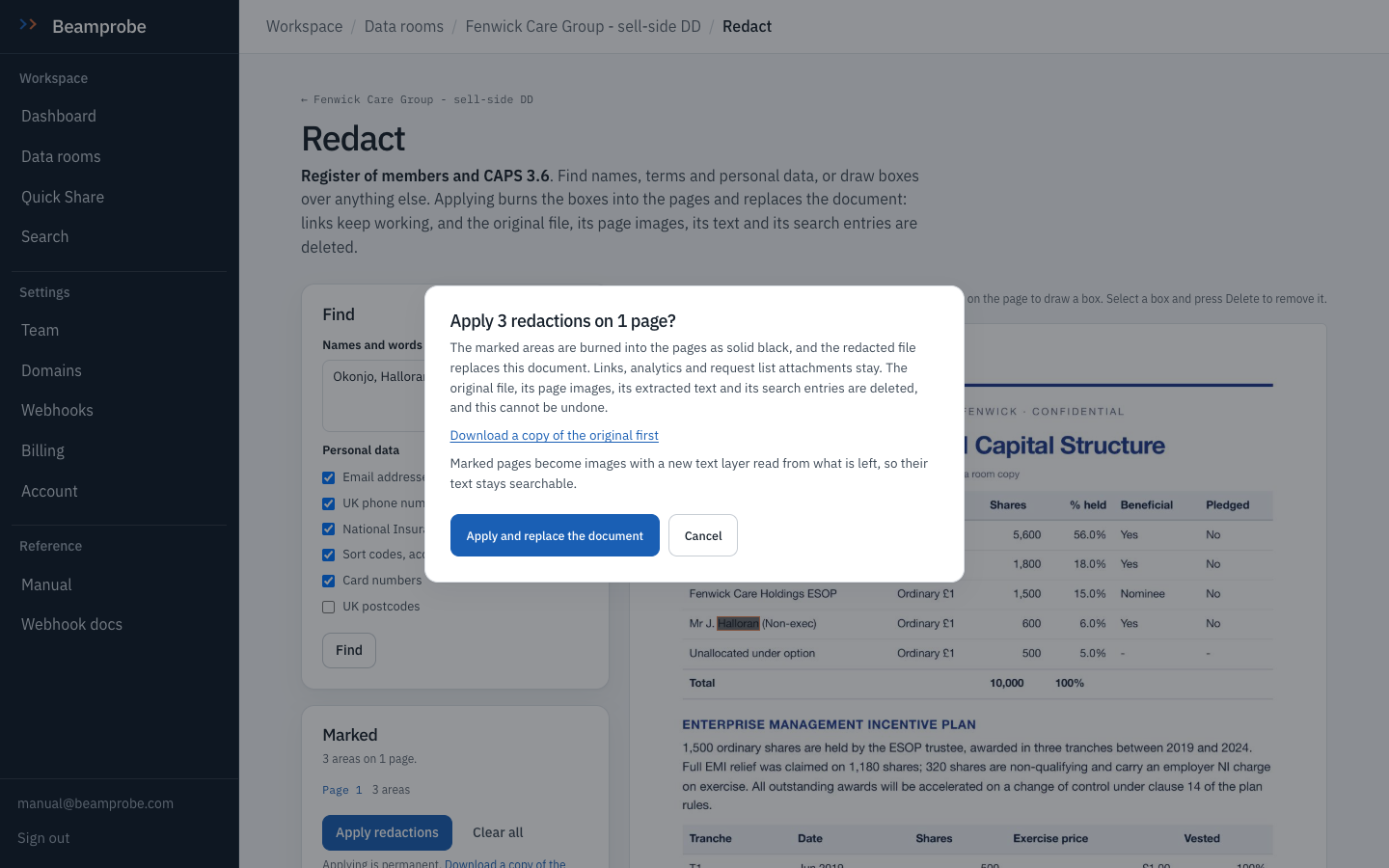
Apply redactions asks once more, with the number of areas and pages. Applying burns the boxes into the pages as solid black and puts the redacted file in place of the original. It is the same document, so its links, analytics and request list attachments stay. The original file, its page images, its extracted text, its search entries and its AI summary are deleted.
Watch There is no undo. Download a copy first: the link is in this dialog, and Download is in every document's menu in the room.
- □ Every page was looked at, not only the pages with matches
- □ Scanned pages named in the results were checked by eye
- □ Surnames were searched, not only full names
- □ You have your own copy of the original
- Each marked page is redrawn as an image with the black painted into the pixels, then read again for a new text layer, so search and Ask this room still work on what is left. Nothing under the black can be copied, searched or extracted. Pages without boxes are kept exactly as they were.
- The file's metadata, bookmarks and attachments are dropped as well, because they can repeat what was redacted.
- Burning in takes a few seconds a page, and you can leave while it runs. When it says Redaction applied, Check the redacted pages opens the new version.
- The room's activity CSV records each redaction: who applied it, when, and how many areas on how many pages.